
Photo booth software for Windows
The photo booth software you pay for once, for life
For photographers with their own booth and for photo booth rental companies: SnapBooth runs your booth, with capture, templates, sharing and printing. Break free from software subscriptions: no monthly fee, no royalties. A simple alternative to subscription software such as dslrBooth.
- No subscription
- One-time payment
- Lifetime license
- 2 years of updates

Three taps, from the button to the photo on their phone
Your guests' journey.
They tap Start
Your names, your background, your colours. A countdown starts the shots, and a Cancel button is always within reach.

They see their photo and choose
The photo appears in your template. Seven one-tap filters, then WhatsApp, email, SMS or printing, with the number of copies.
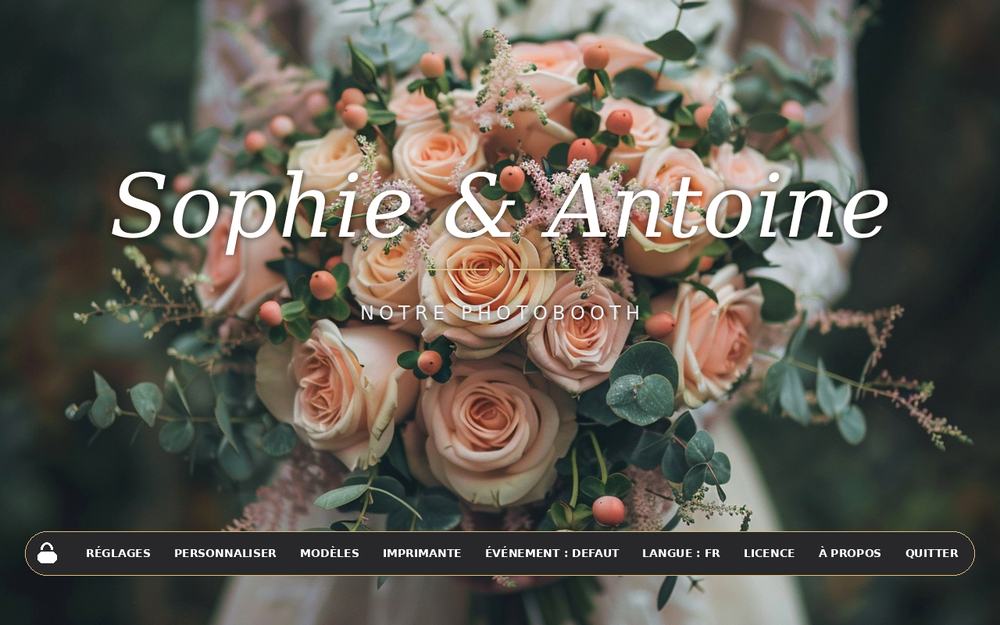
You stay in control
The padlock protects your settings. Guests can neither quit the software nor reach the Windows desktop. After a moment of inactivity, the screen returns to the welcome page.
Everything an event needs, nothing more complicated
What SnapBooth does.
Quick, simple photos
One big Start button: countdown, photo, result. Your guests have nothing to learn.
Template editor
Strips, cards and collages with your text, frame and date. Drag, resize, save.
Instant sharing
WhatsApp, email, SMS and printing. You choose which buttons are shown.
Built for touch screens
Large buttons, a large on-screen keyboard with autocorrect, easy to hit with a finger.
One profile per event
Separate settings, backgrounds, buttons, templates and photos. Duplicate a successful event in one click.
Your branding
Welcome background, result background, accent colour, the text of every button, your own images.
Waiting screen
Schedule the opening: a countdown is displayed until your party starts.
Five languages
English, French, Spanish, Italian and German in the software. User guides in seven languages.
Before you buy
Technical specifications.
| System | Windows 10 and 11. One-click installation, no administrator rights needed. |
|---|---|
| Camera | Most Canon and Nikon DSLR and mirrorless cameras, controlled through digiCamControl (free), or any webcam. Compatibility depends on each camera model: check that yours appears in digiCamControl. |
| Printing | Any printer installed on Windows, designed for DNP photo printers. Your guests choose the number of copies. |
| Sharing | Email from your Gmail or other address, WhatsApp for Windows, SMS with a Twilio account. |
| Internet | Needed only once, to activate the license. Not needed to take photos and print. Needed only to send photos by email, WhatsApp or SMS. |
| Trial | 14 days with every feature. Pictures carry a "TRIAL VERSION" watermark. After that, the software locks until you buy a license. |
One payment, a lifetime license
Choose how many computers to equip. The bigger the plan, the less each computer costs.
Prices in euros, paid securely by card or PayPal. After payment, a thank-you page gives you the download link, and activation is automatic (see "After your purchase").
Your license in 4 steps
After your purchase: automatic activation, no waiting.
online by card or PayPal. A thank-you page opens with the download link.
SnapBooth on each booth computer. Already installed for the trial? Nothing to redo.
padlock, License, "Already paid? Activate". Type the email address of your PayPal payment, then click Activate.
immediately, for life. Several computers? Repeat step 3 on each one, with the same email address.
Your version keeps working
Updates.
after your purchase, every new version is free.
you keep your version and its license forever. For a newer version, you buy a new license.
The software keeps working as it is.
A license follows your booth: reinstall SnapBooth, then email us. We free up the slot, free of charge.
Before you start
Frequently asked questions.
Is SnapBooth an alternative to dslrBooth?
Yes, for Windows photo booths. SnapBooth covers capture, templates, sharing and printing, and you pay once instead of a subscription. Try it free for 14 days with all features before deciding.
Is there a Mac, iPad or smartphone version?
Not at the moment. SnapBooth runs on Windows 10 and 11, where photo booths and their printers are most common.
Which camera can I use?
SnapBooth runs your booth: the camera inside is a DSLR or mirrorless camera compatible with digiCamControl (free, mainly Canon and Nikon, depending on the model), or a webcam. Start digiCamControl first, then SnapBooth.
Do I need Internet during an event?
Not to take photos and print. Yes to send photos by email, WhatsApp or SMS.
How does the free trial work?
You get 14 days with every feature. Photos carry a "TRIAL VERSION" watermark. At the end of the 14 days, the software locks: buy your license, then click "Already paid? Activate" in the License menu.
What if I change computers?
Reinstalling on the same computer is no problem. To move to another computer, email us (contact@heracles-software.com): we free up a slot, free of charge.
Do I have to pay every year?
No. The payment is one-time and the license is for life. Updates are included for 2 years, then optional.

Ready for your next event?
Install SnapBooth in a few minutes and try it for 14 days.